 4f87fb7220
Typically, when attempting to stop a container via `docker stop` or
`podman stop`, the container engine will send a stop signal (SIGTERM by
default) to the container's main process. There are two common ways this
can go wrong:

1. The main process is run as PID 1 and doesn't register a signal
   handler for the stop signal and is consequently ignored
2. The main process is a shell script running a foreground process with
   no `trap`s and is consequently ignored by the *shell*

In either case, because the graceful stop signal is ignored, the
container engine will then send a `SIGKILL` to the container process
after a default timeout of 10 seconds. This is why some containers can
be observed to "hang" when being stopped when they have no other reason
to do so. Unlike `SIGTERM` or `SIGINT`, `SIGKILL` is an immediate,
ungraceful stop that doesn't give the process time to clean up.

There is a fair bit of nuance in how `sh` and `bash` handle signals in
different circumstances. The behavior relevant to the second case above
and Dawarich's entrypoints in particular is that the shell ignores
signals like `SIGTERM` and `SIGINT` when waiting on a foreground job; in
this case, that would be: `bundle exec ${@}`. The reason that `SIGINT`
is not ignored after pressing `Ctrl+C` while running the docker compose
stack is because in that case the shell is **interactive** and the shell
*does* respond to `SIGINT` then (c.f. the aforementioned nuance).

Thankfully, the fix is simple: `exec` the main process, which causes the
server process to *replace* the shell process and directly receive any
signals sent. Additionally, the stop signal for the app process should
be set to `SIGINT`, as that is the expected signal for graceful
shutdown. Sidekiq is fine with either `SIGTERM` or `SIGINT`, which is
convenient.
|
||
|---|---|---|
| .circleci | ||
| .devcontainer | ||
| .github | ||
| app | ||
| bin | ||
| config | ||
| db | ||
| docker | ||
| docs | ||
| e2e | ||
| lib | ||
| log | ||
| public | ||
| screenshots | ||
| spec | ||
| storage | ||
| swagger/v1 | ||
| tmp | ||
| vendor | ||
| .app_version | ||
| .env.development | ||
| .env.test | ||
| .gitattributes | ||
| .gitignore | ||
| .rspec | ||
| .rubocop.yml | ||
| .ruby-version | ||
| app.json | ||
| CHANGELOG.md | ||
| CLAUDE.md | ||
| config.ru | ||
| CONTRIBUTING.md | ||
| DEVELOPMENT.md | ||
| Gemfile | ||
| Gemfile.lock | ||
| LICENSE | ||
| package-lock.json | ||
| package.json | ||
| playwright.config.js | ||
| Procfile | ||
| Procfile.dev | ||
| Procfile.production | ||
| Procfile.prometheus.dev | ||
| Rakefile | ||
| README.md | ||
🌍 Dawarich: Your Self-Hostable Location History Tracker
|
 |
| 

📸 Screenshots
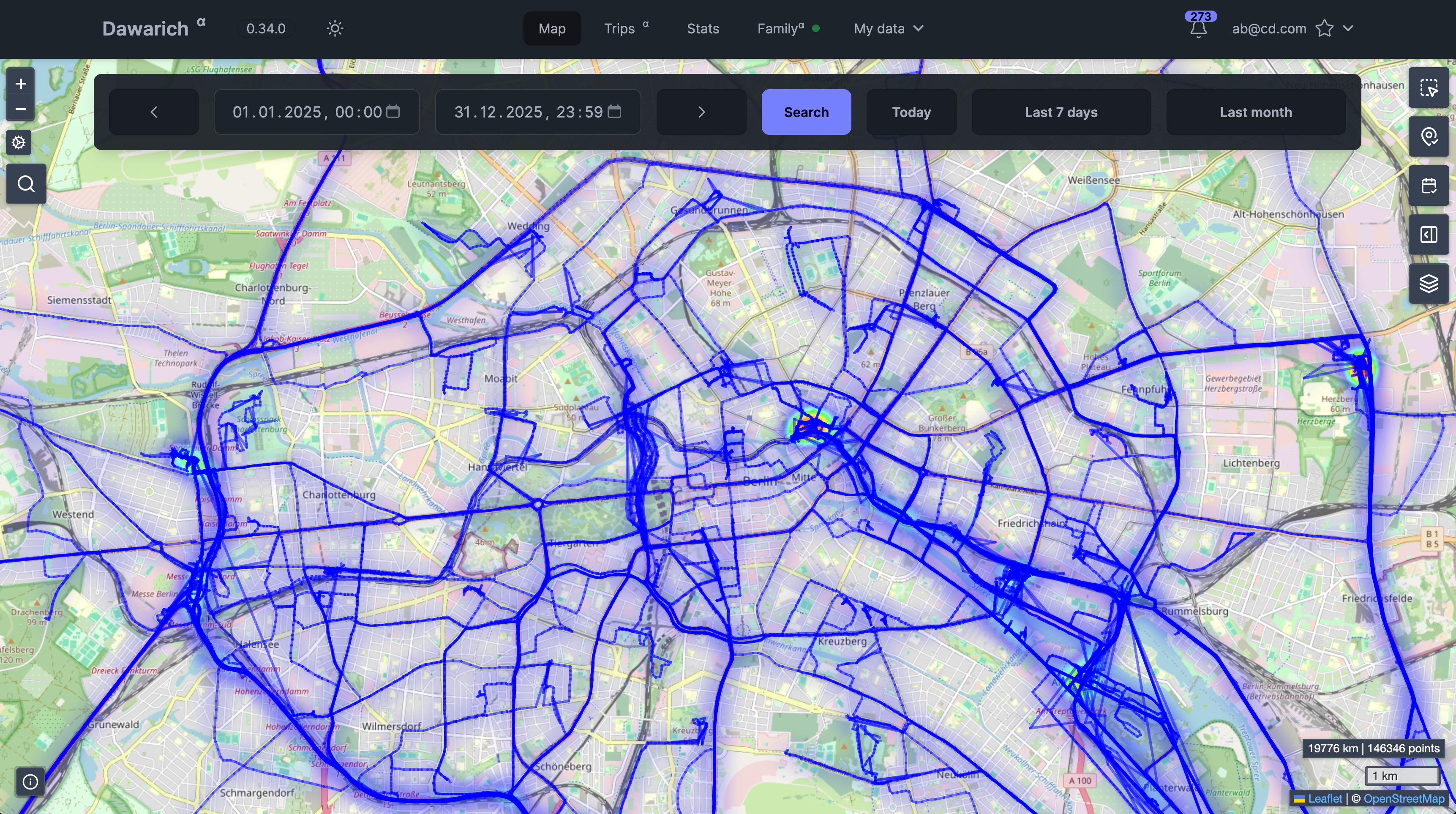 Map View
 Family Page
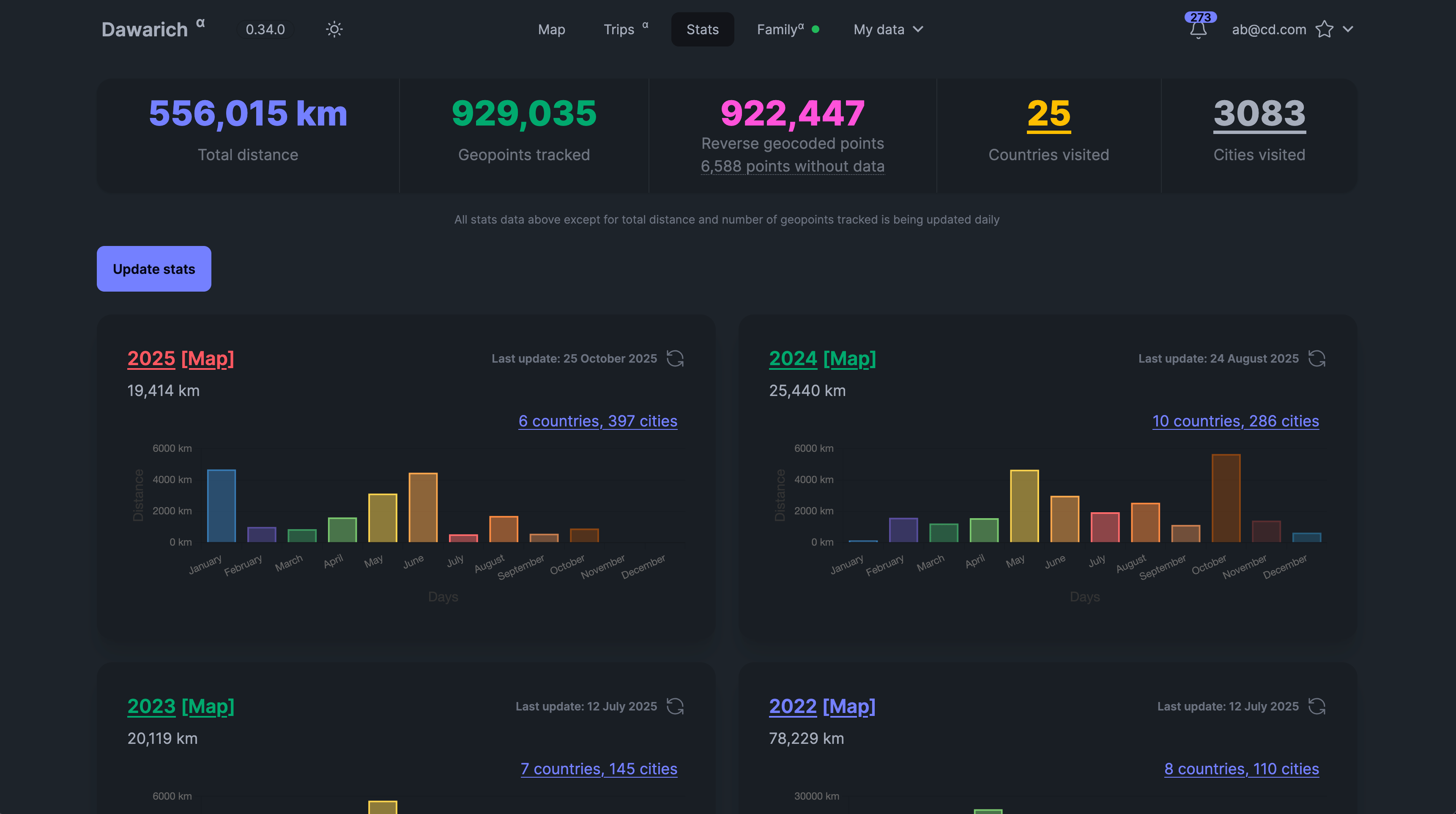 Statistics Overview
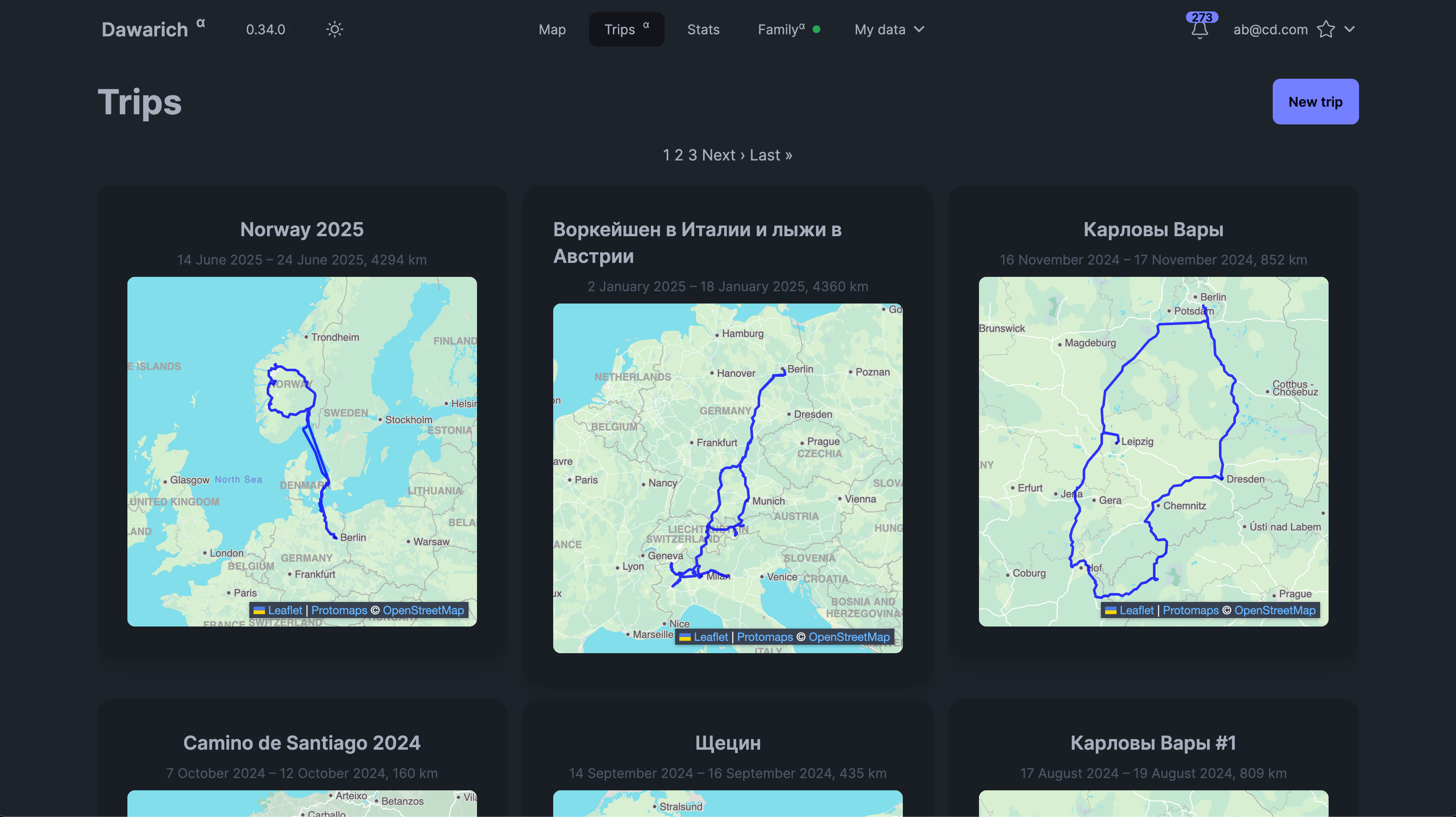 Trips page
🗺️ About Dawarich
If you're looking for Dawarich Cloud, where everything is managed for you, check out Dawarich Cloud.
Dawarich is a self-hostable web app designed to replace Google Timeline (aka Google Location History). It enables you to:
- Track your location history.
- Visualize your data on an interactive map.
- Create trips and analyze your travel history.
- Share your location with family members.
- Integrate with photo management apps like Immich and Photoprism to visualize geotagged photos.
- Import your location history from Google Maps Timeline, OwnTracks, GPX, GeoJSON and some other sources
- Explore statistics like the number of countries and cities visited, total distance traveled, and more!
📄 Changelog: Find the latest updates here.
👩💻 Contribute: See CONTRIBUTING.md for how to contribute to Dawarich.
⚠️ Disclaimer
- 💔 DO NOT UPDATE AUTOMATICALLY: Read release notes before updating. Automatic updates may break your setup.
- 🛠️ Under active development: Expect frequent updates, bugs, and breaking changes.
- ❌ Do not delete your original data after importing into Dawarich.
- 📦 Backup before updates: Always backup your data before upgrading.
- 🔄 Stay up-to-date: Make sure you're running the latest version for the best experience.
- ⚠️ DO NOT USE PRODUCTION ENVIRONMENT: Dawarich is not yet ready for production.
🧭 Supported Location Tracking
You can track your location with the following apps:
- 💫 Dawarich for iOS
- 🌍 Overland
- 🛰️ OwnTracks
- 🗺️ GPSLogger
- 📱 PhoneTrack
- 🏡 Home Assistant
Simply install one of the supported apps on your device and configure it to send location updates to your Dawarich instance.
🚀 How to Start Dawarich Locally
- Clone the repository.
- Run the following command to start the app:
docker compose -f docker/docker-compose.yml up - Access the app at
http://localhost:3000.
⏹️ To stop the app, press Ctrl+C.
You can use default values or create a .env file based on .env.example to customize your setup.
🔧 How to Install Dawarich
🆕 Default Credentials
- Username:
demo@dawarich.app - Password:
passwordFeel free to change them in the account settings.
📊 Features
🔍 Location Tracking
- Track your live location using one of the supported apps.
🗺️ Location History Visualization
- View your historical data on a map with customizable layers:
- Heatmap
- Points
- Lines between points
- Fog of War
👪 Family Sharing
- Share your location with family members.
- View locations of family members on the map (with their consent).
- Each family member can enable or disable location sharing individually.
🔵 Areas
- Draw areas on the map so Dawarich could suggest your visits there.
📍 Visits (Beta)
- Dawarich can suggest places you've visited and allow you to confirm or reject them.
📊 Statistics
- Analyze your travel history: number of countries/cities visited, distance traveled, and time spent, broken down by year and month.
✈️ Trips
- Create a trip to visualize your travels between two points in time. You'll be able to see the route, distance, and time spent, and also add notes to your trip. If you have Immich or Photoprism integration, you'll also be able to see photos from your trips!
📸 Integrations
- Provide credentials for Immich or Photoprism (or both!) and Dawarich will automatically import geodata from your photos.
- You'll also be able to visualize your photos on the map!
📥 Import Your Data
- Import from various sources:
- Google Maps Timeline
- OwnTracks
- Strava
- Immich
- GPX/GeoJSON files
- Photos’ EXIF data
📤 Export Your Data
- Export your data to GeoJSON or GPX formats.
📚 Guides and Tutorials
- Set up Reverse Proxy
- Import Google Takeout
- Track Location with Overland
- Track Location with OwnTracks
- Export Your Data
🛠️ More guides available in the Docs.
🛠️ Environment Variables
Check the documentation on the website for detailed information about environment variables and settings.
💫 Star History
As you could probably guess, I like statistics.